The power of persuasion drives the modern professional landscape. Whether you are a startup founder pitching to venture capitalists, a teacher inspiring a classroom, or a corporate executive reporting quarterly earnings, your slides are the bridge between your ideas and your audience’s understanding. However, many people find themselves paralyzed by the “blank slate syndrome”, struggling to balance aesthetic appeal with functional clarity. The secret to overcoming this hurdle lies in understanding the structural DNA of a successful deck and leveraging high-quality PPT templates to handle the heavy lifting of design.
In this comprehensive guide, we will explore the five essential elements that transform a mediocre slideshow into a compelling narrative and introduce you to the best resources to streamline your workflow.
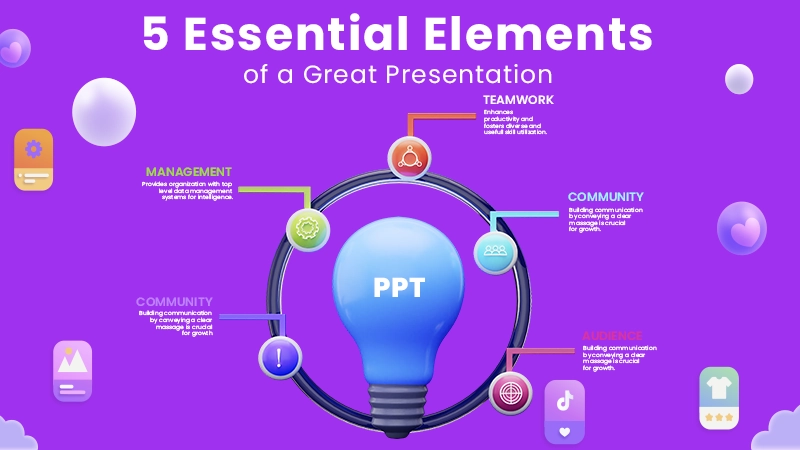
1. A Clear Narrative Structure: The Foundation of Influence
Before you even think about colors or fonts, you must think about the story. A great presentation is not a collection of data points; it is a journey. Without a clear narrative structure, your audience will likely lose interest within the first three minutes.
Experts often recommend the “Three-Act Structure” for business presentations:
- The Hook (Act I): Define the problem or the current reality. Why are we here today? What is at stake?
- The Solution (Act II): This is where you introduce your idea, product, or analysis. It is the bridge between the problem and a better future.
- The Resolution (Act III): What should the audience do next? Every deck needs a strong Call to Action (CTA).
When you use professional PPT templates, you aren’t just getting “pretty slides”. You are getting a pre-built logical flow. High-end templates include dedicated slides for “The Mission”, “The Challenge”, and “The Road Ahead”, ensuring you don’t skip the crucial step of storytelling in favor of just listing facts.
2. Visual Consistency and Branding: Building Trust Through Design
One of the most common mistakes in presentation design is visual fragmentation. Using different fonts on every slide or alternating between clip art and high-definition photography creates a sense of amateurism. Consistency, on the other hand, builds authority and trust.
Consistency involves three main pillars:
- Typography: Stick to two font families at most—one for headings and one for body text.
- Color Palette: Use a maximum of 3-4 primary colors. These should ideally align with your corporate branding or the psychological mood of your topic (e.g., blue for trust, green for growth).
- Layout Alignment: If your logo is in the bottom right corner of Slide 1, it should be in the same place on Slide 20.
The beauty of sourcing your assets from a dedicated site for PPT templates is that the professional designers have already done this work for you. They have selected the hex codes, set the font hierarchies, and locked the grid systems. This allows you to focus purely on your content while knowing that the visual “shell” is mathematically and aesthetically sound.
3. Data Visualization: Making Numbers Speak
In an era of information overload, data is only as good as its visualization. If your slide consists of a massive Excel table with 50 rows and 10 columns, you have already lost your audience. Humans process images 60,000 times faster than text; therefore, your data should be visual, not textual.
To master this element, consider these tips:
- Highlight the Insight: Don’t just show a bar chart; highlight the specific bar that represents the most important trend.
- Simplify: Remove unnecessary gridlines, legends, and borders that clutter the visual field.
- Use Comparison: Instead of just saying “revenue grew”, show a side-by-side visual comparison.
For many, creating these charts from scratch is a technical nightmare. This is where modern PPT templates become indispensable. Instead of struggling with basic shapes, you can download a template that features pre-designed infographics, maps, and dynamic charts. Because these templates are built for PowerPoint and Google Slides, you can simply click on the chart and input your data to watch it come to life instantly.
4. High-Quality Imagery and Icons: The Power of Non-Verbal Communication
The days of cheesy stock photos featuring people shaking hands in front of a white background are over. Today’s audiences crave authenticity and modern aesthetics. High-quality imagery acts as an emotional anchor for your message.
Similarly, icons have become the “shorthand” of modern design. Using a simple icon of a lightbulb to represent “Innovation” or a shield for “Security” allows you to reduce text significantly. This keeps the audience focused on what you are saying rather than what they are reading.
When browsing for PPT templates, look for those that include a “Resource Slide”—a collection of scalable vector icons and placeholders for high-resolution images. This ensures that every visual element in your deck feels like it belongs to the same family, rather than a patchwork of random internet searches.
5. Audience-Centric Design: Presentation with Purpose
The final element is perhaps the most important: your audience. A presentation for a creative agency should look fundamentally different from a presentation for a medical board.
- For Executives: Focus on high-level summaries and clear ROI. Use clean, minimalist PPT templates that convey efficiency.
- For Educators: Use vibrant colors, interactive elements, and clear, large fonts that are easy to read from the back of a classroom.
- For Sales: Use high-impact visuals and emotional storytelling to drive a purchase decision.
Understanding your audience allows you to select the right “theme”. By choosing the correct PPT templates tailored to your specific industry, you are already halfway to a successful engagement.
Where to Find the Best Professional Resources: Introducing AiPPT
Knowing the elements is one thing; executing them is another. Most of us are not professional graphic designers, and we don’t have hours to spend nudging text boxes by two pixels. This is where AiPPT enters the frame as a game-changer for the modern professional.
AiPPT offers a vast library of PPT templates that are specifically designed to meet the five criteria we discussed above. But what sets this platform apart from the dozens of generic template sites on the web?
Professional-Grade Design for Everyone
The templates available at AiPPT are not your average “default” styles. They are curated with a focus on modern design trends, utilizing clean layouts, sophisticated color theory, and professional typography. Whether you need a pitch deck, a marketing proposal, or an academic lecture, the quality of these PPT templates rivals that of expensive design agencies.
Seamless Integration with Your Favorite Tools
One of the biggest concerns users have when downloading templates is compatibility. AiPPT understands that the best work happens in environments you are comfortable with. All their designs are optimized to be downloaded and opened directly in Microsoft PowerPoint or Google Slides.
This is a critical distinction: these aren’t locked files. They are fully editable frameworks. Once you download your chosen PPT templates, you have 100% control. You can swap out images, change the text, move objects, and adjust the branding to match your specific needs. You get the expert layout of a designer with the flexibility of a DIY project.
A Commitment to Accessibility (Free to Use)
In a world where many high-quality design assets are hidden behind expensive monthly subscriptions or “pay-per-slide” models, AiPPT stands out by offering its library for free. This mission to democratize design means that a student can have the same visual impact as a Fortune 500 CEO. By providing these PPT templates at no cost, AiPPT removes the financial barrier to professional communication.
Maximizing Your Impact: Pro Tips for Customizing Your Templates
Once you have selected your favorite PPT templates from AiPPT, here is how you can elevate them further:
- The “One Idea Per Slide” Rule: Don’t feel the need to fill every inch of the template just because it’s there. If a template has a beautiful layout for three columns, but you only have one important point, delete the other two. White space is your friend.
- Match Your Visuals to Your Message: If you download a technology-themed template but your talk is about organic farming, make sure to replace the tech-stock photos with relevant agricultural imagery. The layout will still work, but the context must be yours.
- Use the Slide Master: If you want to change a font across 50 slides, don’t do it one by one. Open the Slide Master view in PowerPoint or Google Slides and change it once. Because AiPPT templates are built correctly, they will update across the entire deck automatically.
- Practice Your Delivery: A great template makes you look prepared, but your delivery makes you look passionate. Use the time you saved on design to rehearse your speaking points.
Empowering Your Next Presentation
Mastering the art of the presentation is a career-long journey, but it doesn’t have to be a difficult one. By focusing on a clear narrative, maintaining visual consistency, visualizing your data, using high-quality imagery, and always keeping your audience at the center of your design, you set yourself up for success.
Tools like AiPPT are the ultimate shortcut for the busy professional. They provide the structural integrity and aesthetic polish required to stand out in a crowded digital world. Instead of wrestling with formatting, you can spend your energy on what truly matters: your message.
The next time you are tasked with creating a deck, don’t start from zero. Start from a place of strength. With a solid understanding of presentation theory and a library of world-class PPT templates at your fingertips, you are ready to command any room and leave a lasting impression on your audience. Would you like me to help you select a specific category of template for your next project?